Placement · Pin assignment · Routing · Vias

You send the connections.
We send back the board.

Give us the component list and how they connect. We choose where every part goes, which pin of the FPGA each signal takes, which side of the board it sits on, where the vias drop, and every track. A week of work becomes about a minute.

Design time
~1 min
i386SX board
$30.20
Per pad
$0.02
Per route
$0.06
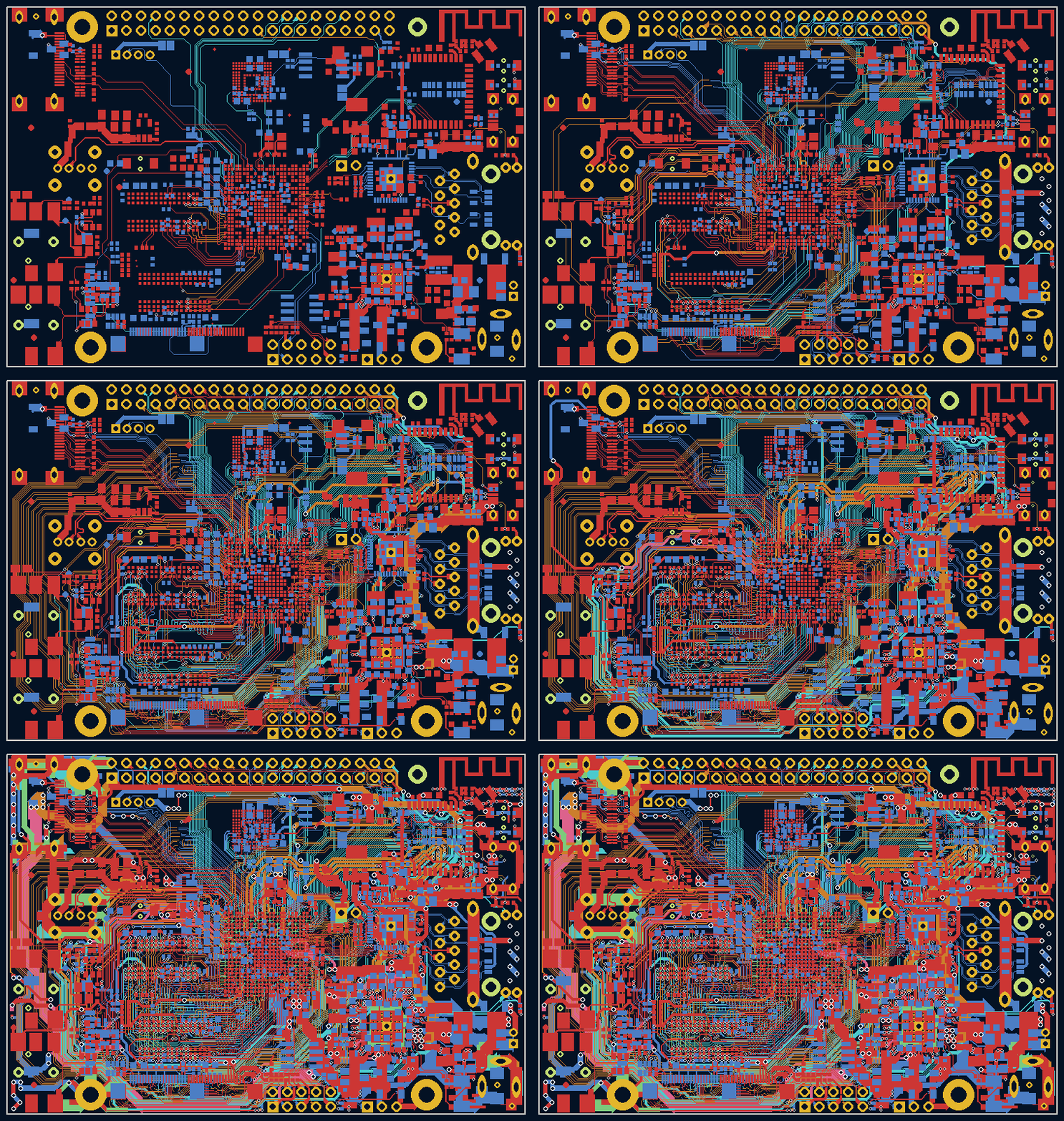
A six-layer board appearing net by net, ten frames

A real six-layer board — the A64-OLinuXino Rev H, 17 062 tracks and 1 130 vias — drawn in the PCB editor's own colours, a tenth of the work each second, one net at a time with its vias.

Boards we routed — examples, and new ones as they finish

connecting
Waiting for the first board…
At a glance
Pads placed
Routes
Median time
Median price

Every finished board is written to disk with the file you sent and the result — failures included. These numbers come from those files.

What we actually do

1 · Placement

Where every component sits, and which side of the board it sits on.

2 · Pin assignment

Which FPGA pin takes which signal, which channel of a level shifter, which element of a resistor array. Two thirds of a real board's nets end on a pin nobody has chosen yet.

3 · Routing & vias

Every track on every layer, and every via, inside your own design rules and net classes.

4 · Verification

The result goes through a real DRC and a connectivity check before you ever see it.

These are not four products. They are one decision. Placement that ignores routing produces a board nobody can route; pins chosen before placement force tracks that cross. We do not sell the steps separately, because doing one of them well requires doing all of them at once.

Compared with an autorouter

On the same boardTypical autoroutereasyPCB
Routes the tracksyesyes
Places the componentsno — you place them firstyes
Chooses which side each part goes onnoyes
Assigns the FPGA pinsno — fixed before it startsyes, and reassigns them to make routing easier
Picks level-shifter channels and array elementsnoyes
Decides where the vias goyesyes
Honours per-net-class clearancesusuallyyes
Netlist to finished boardsetup, then about a week of hand fixingabout one minute
Cost for an i386SX-class boarda licence, plus your week$30.20

An autorouter starts where the hard decisions have already been made. We start before them.

Formats

Supported today
  • .zip of the project folder — the one to send when you have custom footprints: your .kicad_mod files come back with the result
  • .netspec — our plain-text intent format, when you have no board yet
  • .kicad_pcb — an existing board, KiCad 5 to 10. What we read from it is what it CONNECTS: the netlist and the footprints. The placement you already have is a starting point, not a constraint — we place the components again, choose the pins again and route again, which is the whole point of sending a finished board. Your file is never modified: it comes back inside the archive next to the new one, so you can compare them.
  • .kicad_pro — your design rules and net classes are used, not ours
  • The finished KiCad project comes back as one archive, source included
On the way
  • Altium .PcbDoc
  • Eagle / Fusion .brd
  • Specctra .dsn / .ses
  • EasyEDA and OrCAD netlists
  • IPC-2581
  • Gerber + drill export

Pricing

You pay for the work done, not for a seat. Placement is priced per pad, routing per route. A board with twice the pads costs twice as much.

BoardPadsRoutesPrice
nwX2876121$2.48
i386SX motherboard952186$30.20
Socket 7 motherboard1,780311$54.26
Socket 370 motherboard1,712319$53.38
$0.02 per pad placed · $0.06 per route. Attempts that fail are not charged.
Bring someone with you

Every member who joins through you takes 1% off your price, for as long as you both use it. Up to twenty members, so up to 20% off, permanently. Nothing to claim and nothing expires.

your price = base × (1 − 0.01 × members) capped at 20%
Balance

Top up once and spend it per board. Every job shows its cost before it runs, and you approve it.